
- Slevy a akce
- Počítače a notebooky
- Telefony a tablety
- Elektronika
 Kabely a redukce
- USB
- Audio-Video
- Anténní
- Cestovní adaptéry
- Datové a paralelní
- DisplayPort
- DVI
- Firewire
- Flexo kabely
- HDMI
- Koaxiální
- Kabely pro iPhone/iPad
- Konektory - audio,video,Tv
- Metráž k propojení reprosoustav
- Napájecí 230V k PC
- Organizéry kabelů
- Prodlužovací kabely a přívody 230V
- Přepěťové ochrany
- Převodníky, rozbočovače, switche, splittery
- PS/2
- Redukce
- Serial ATA (SATA)
- Sériové
- Síťové (LAN, RJ-45, Patch, 305m, 500m, box)
- Speciální prodlužovací přívody - PowerCube
- Testery kabelů
- VGA (D-SUB)
- Zásuvkové lišty a moduly
 Auto - moto
- Autonosiče na jízdní kola
- USB nabíječky do auta
- Automobilové kamery
- Autorádia
- Autodiagnostiky
- Nabíječky autobaterií
- Autochladničky
- Alkohol testery
- FM Transmittery
- Autokosmetika
- Antiradary
- Měniče napětí
- Upínače a popruhy
- Škrabky a lopatky
- Parkovací senzory
- Vůně do auta
- Přezouvání pneumatik
- Komfortní výbava
- GPS navigace
- Gaming
- Velké spotřebiče
- Domácnost
 Malé spotřebiče
- Kávovary a espresso
- Rychlovarné konvice
- Kuchyňské roboty
- Mixéry a šlehače
- Mikrovlnné trouby
- Minitrouby
- Domácí pekárny
- Elektrické grily
- Toustovače
- Topinkovače
- Vaflovače
- Fritézy
- Rýžovary
- Multifunkční hrnce
- Sous vide
- Plotýnkové vařiče
- Odšťavňovače a lisy
- Elektrické mlýnky na maso
- Kráječe potravin
- Sekáčky a struhadla
- Sušičky ovoce
- Vakuovačky
- Autochladničky
- Vychytávky do kuchyně
- Vysavače
- Parní čističe
- Žehličky
- Úprava vzduchu
- Dílna a zahrada
 Auto-moto
- Autonosiče jízdních kol
- Autostany
- Markýzy k autu
- USB nabíječky do auta
- Automobilové kamery
- Autorádia
- Autodiagnostiky
- Nabíječky autobaterií
- Nabíječky elektromobilů
- Autochladničky
- Alkohol testery
- FM Transmittery
- Autokosmetika
- Organizéry do auta
- Antiradary
- Měniče napětí
- Upínače a popruhy
- Ochrany čelního skla
- Škrabky a lopatky
- Parkovací senzory
- Vůně do auta
- Přezouvání pneumatik
- Komfortní výbava
- GPS navigace
 Zahradní technika
- Akumulátorové nůžky
- Čerpadla
- Drtiče a štípače
- Infrazářiče, topidla
- Křovinořezy
- Kultivátory
- Lapače hmyzu
- Lisy na ovoce
- Odstraňovače plevele
- Plotostřihy
- Postřikovače
- Příslušenství
- Ruční zametače
- Řetězové pily
- Sběrače listí
- Sekačky na trávu
- Vertikutátory – provzdušňovače trávníku
- Vysavače na listí
- Vysokotlaké čističe
- Zahradní fukary na listí
- Zahradní vozíky
- Zemní vrtáky
- Cyklo a sport










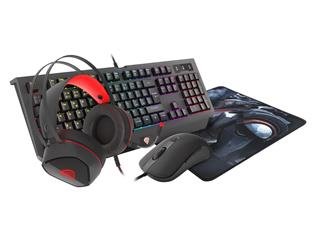
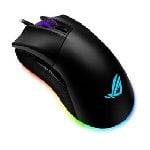
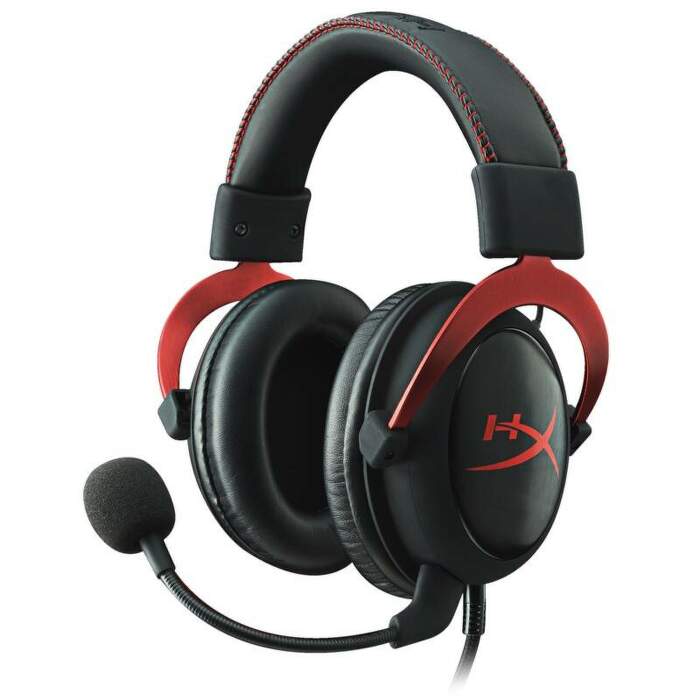


















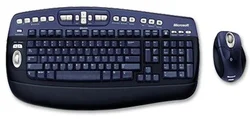
KBC Optical Desktop Elite for Bluetooth 2.0 Win USB CZ
Objednací kód: 9680261,Part No.: BV1-00009,Záruka spotřebitel/ostatní: 36 měsíců / 36 měsíců

Je nám líto,
ale tento produkt je beznadějně vyprodán a nebo je pouze dostupný jako dárek k vybranému výrobku. Vyberte si, prosím, ze související nabídky níže.
Popis
Will Microsoft’s Bluetooth products work with all transceivers and with all devices?
We recommend using the Microsoft Bluetooth products with the included transceiver that it shipped with the products. Microsoft’s Bluetooth mouse and keyboard will allow basic functionality with all host devices that conform to the Bluetooth Human Interface Device profile, as defined by the Bluetooth SIG.
The Microsoft USB Transceiver for Bluetooth will work with other Bluetooth devices, as long as the other devices have passed the Bluetooth certification defined by the SIG for the Human Interface Device, Hard Copy Cable Replacement, Dial-up Networking, Serial Port, Object Push, and PANU Personal Area Networking profiles.
The Bluetooth Special Interest Group is a trade association comprised of leaders in the telecommunications, computing and network industries, including Microsoft, with the common goal of driving the development and implementation of Bluetooth wireless technology for widespread consumer awareness and use. For more information, visit www.bluetooth.org.
The Bluetooth protocols are part of what are called “profiles” by the Bluetooth SIG. Profiles define how each type of device should communicate and interact for specific customer usage models. For devices to work together, it is important that each device share the same profile. When purchasing your Bluetooth device, please keep this in mind to ensure that the devices you purchase will work together as expected. Usually the supported profiles are listed in the user manual for the device.
Windows XP SP2 will support the following profiles and scenarios:
· Serial Port (SPP): Syncing PDAs with the information stored on the PC. (New)
· Object Push (OPP): Transferring files, such as documents, pictures and music, wirelessly between devices. (New)
· Personal Area Networking (PANU): Syncing and transferring information between all supported personal devices. Flexibility to incorporate future scenarios going forward. (New)
· Human Interface Device (HID): Using a wireless mouse or keyboard.
· Hard Copy Cable Replacement (HCRP): Printing documents wirelessly to a Bluetooth printer.
· Dial-up Networking (DUN): Using a Bluetooth cell phone as a modem to connect to the Internet anywhere.