
- Slevy a akce
- Počítače a notebooky
- Telefony a tablety
- Elektronika
 Kabely a redukce
- USB
- Audio-Video
- Anténní
- Cestovní adaptéry
- Datové a paralelní
- DisplayPort
- DVI
- Firewire
- Flexo kabely
- HDMI
- Koaxiální
- Kabely pro iPhone/iPad
- Konektory - audio,video,Tv
- Metráž k propojení reprosoustav
- Napájecí 230V k PC
- Organizéry kabelů
- Prodlužovací kabely a přívody 230V
- Přepěťové ochrany
- Převodníky, rozbočovače, switche, splittery
- PS/2
- Redukce
- Serial ATA (SATA)
- Sériové
- Síťové (LAN, RJ-45, Patch, 305m, 500m, box)
- Speciální prodlužovací přívody - PowerCube
- Testery kabelů
- VGA (D-SUB)
- Zásuvkové lišty a moduly
 Auto - moto
- Autonosiče na jízdní kola
- USB nabíječky do auta
- Automobilové kamery
- Autorádia
- Autodiagnostiky
- Nabíječky autobaterií
- Autochladničky
- Alkohol testery
- FM Transmittery
- Autokosmetika
- Antiradary
- Měniče napětí
- Upínače a popruhy
- Škrabky a lopatky
- Parkovací senzory
- Vůně do auta
- Přezouvání pneumatik
- Komfortní výbava
- GPS navigace
- Gaming
- Velké spotřebiče
- Domácnost
 Malé spotřebiče
- Kávovary a espresso
- Rychlovarné konvice
- Kuchyňské roboty
- Mixéry a šlehače
- Mikrovlnné trouby
- Minitrouby
- Domácí pekárny
- Elektrické grily
- Toustovače
- Topinkovače
- Vaflovače
- Fritézy
- Rýžovary
- Multifunkční hrnce
- Sous vide
- Plotýnkové vařiče
- Odšťavňovače a lisy
- Elektrické mlýnky na maso
- Kráječe potravin
- Sekáčky a struhadla
- Sušičky ovoce
- Vakuovačky
- Autochladničky
- Vychytávky do kuchyně
- Vysavače
- Parní čističe
- Žehličky
- Úprava vzduchu
- Dílna a zahrada
 Auto-moto
- Autonosiče jízdních kol
- Autostany
- Markýzy k autu
- USB nabíječky do auta
- Automobilové kamery
- Autorádia
- Autodiagnostiky
- Nabíječky autobaterií
- Nabíječky elektromobilů
- Autochladničky
- Alkohol testery
- FM Transmittery
- Autokosmetika
- Organizéry do auta
- Antiradary
- Měniče napětí
- Upínače a popruhy
- Ochrany čelního skla
- Škrabky a lopatky
- Parkovací senzory
- Vůně do auta
- Přezouvání pneumatik
- Komfortní výbava
- GPS navigace
 Zahradní technika
- Akumulátorové nůžky
- Čerpadla
- Drtiče a štípače
- Infrazářiče, topidla
- Křovinořezy
- Kultivátory
- Lapače hmyzu
- Lisy na ovoce
- Odstraňovače plevele
- Plotostřihy
- Postřikovače
- Příslušenství
- Ruční zametače
- Řetězové pily
- Sběrače listí
- Sekačky na trávu
- Vertikutátory – provzdušňovače trávníku
- Vysavače na listí
- Vysokotlaké čističe
- Zahradní fukary na listí
- Zahradní vozíky
- Zemní vrtáky
- Cyklo a sport
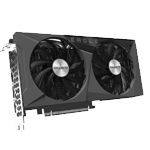
















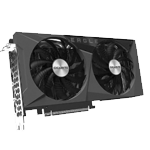




































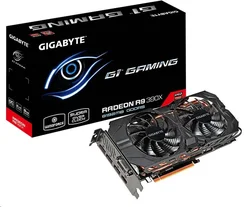
Poradna k produktu GIGABYTE GV-R939XG1 GAMING-8GD
Objednací kód: 9303785,Part No.: GV-R939XG1 GAMING-8GD,Záruka spotřebitel/ostatní: 36 měsíců / 36 měsíců
shuyin200 |7. 7. 2015
For those running into “black screen” The issue is caused by windows identifying the card as R9 200 series. The card is not compatible with that so it locks out. To fix the issue boot into safe mode. Put the CD that came with the card in the optical drive. Go to Device Manager -> Display adapters -> R9 200 series. Right-click the R9 Series listed under the display adapters and select 'Update Driver Software'. Choose Browse my computer for driver software and point it to the CD.
Ať už máte jakýkoliv dotaz ohledně produktu nebo jeho použití, neváhejte se nás zeptat. Náš tým zkušených profíků se na Váš dotaz co nejdříve podívá a pokusí se zodpovědět jak jen to půjde.
Dotazy zodpoví
Radim (T.S.BOHEMIA)